Green Screen Studio Rental in Tampa: What to Look for Before You Book
Green screen production looks simple on paper. In practice, a poorly executed green screen setup creates post-production problems that cost more to fix than the studio savings were worth. A chroma key that works requires the right surface, the right lighting, the right distance between subject and screen, and a controlled environment that prevents color spill and shadow contamination. This guide covers what to look for when renting a green screen studio in Tampa Bay.
Quick answer: A green screen studio rental in Tampa should include a properly painted, evenly lit chroma key surface large enough for your production format, controlled lighting that separates subject exposure from screen exposure, and enough floor space to maintain the subject-to-screen distance your keying software requires. Confirm these specifications before booking.
The Foundation: Surface Quality
Not all green screens are equal. The surface quality determines how cleanly the key can be pulled in post.
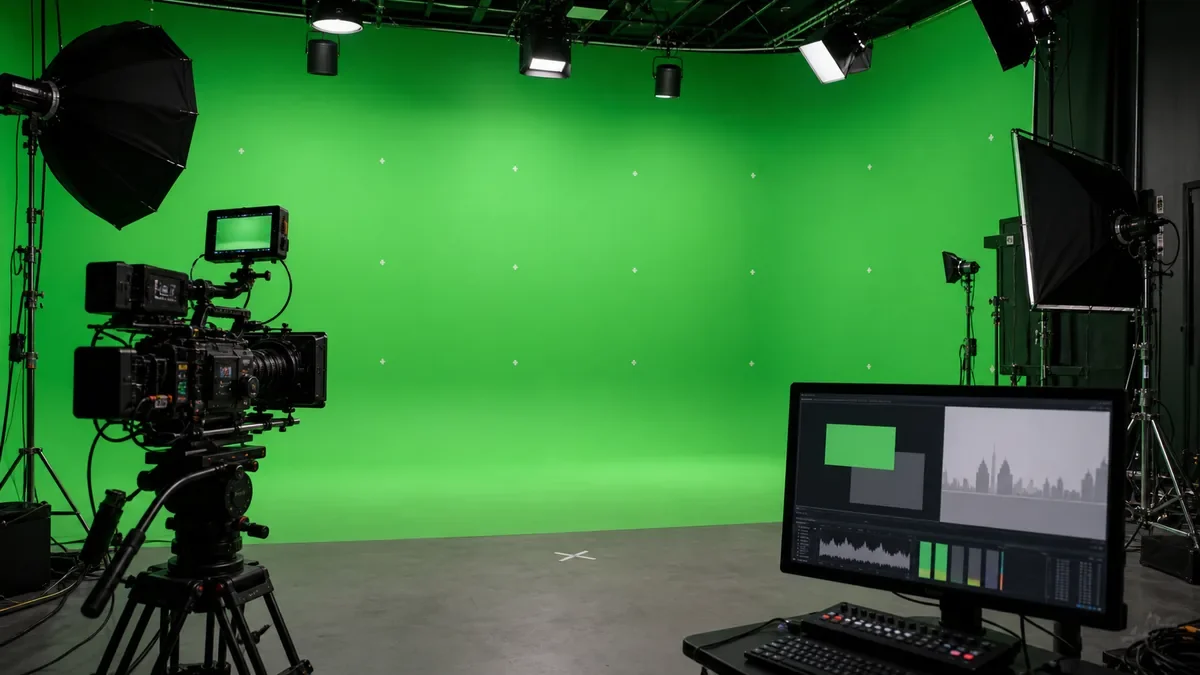
A purpose-built painted hard cyc or a properly constructed fabric panel holds color more consistently than improvised setups. Confirm that the studio's green screen surface is painted with a proper chroma key green (not consumer-grade paint or random fabric), that the surface is smooth and free of wrinkles or texture that catches light inconsistently, and that the coverage area is large enough for your shot format.
Fabric green screens work for small setups and close subjects. For productions with full-body subjects, wide shots, or moving subjects, a larger painted surface or a full hard cyc in chroma green is a more reliable keying surface.
Lighting for Chroma Key Work
Green screen lighting is a two-part problem: light the screen evenly, and light the subject correctly without spilling green onto them.
Even screen exposure is the foundation of a clean key. Hot spots or dark patches on the green screen create inconsistent chroma values that make the key harder to pull cleanly. The screen needs to be lit independently from the subject with flat, even illumination across the full surface.
Subject lighting needs to be managed so that light from the green screen does not wrap around the subject and create green contamination on hair, shoulders, or translucent edges. This typically requires enough physical distance between the subject and the screen, and directional key lighting that manages the relationship between subject and screen.
Confirm that the studio has experience lighting for chroma key work and ask how they manage screen-to-subject separation.
Screen Coverage and Shot Format
The green screen coverage area needs to match your shot format.
A waist-up talking head shot requires much less screen coverage than a full-body action shot or a wide two-person setup. If your production requires the full body or a wide shot with multiple subjects, confirm the total coverage area of the studio's green screen, including whether the floor area is also green for full-body shots where feet are visible.
For virtual studio formats where the entire background is replaced and subjects move through the frame, the coverage requirement is larger still.
Subject-to-Screen Distance
Physical distance between the subject and the green screen directly affects keying quality.
When the subject is too close to the screen, the screen reflects green light onto the subject (screen spill) and the subject's shadow lands on the screen (shadow contamination). Both create problems in post that require time and skill to fix, and some cannot be fully corrected.
Confirm the studio's working distance between the subject position and the green screen. For most controlled productions, six to ten feet of separation is a minimum starting point.
Post-Production Workflow Considerations
What happens after the shoot affects what the studio needs to provide during the shoot.
If you are pulling the key in Premiere, DaVinci, After Effects, or another NLE, confirm with your colorist or editor what they need from the capture side. Frame rate, codec, bit depth, and color space all affect how cleanly the key pulls. A studio that shoots a highly compressed codec for an aggressive chroma key production may create more work in post than one that captures a higher-quality signal.
Confirm the studio's camera specifications if they are providing cameras, or plan your own camera package with post requirements in mind.
Green Screen for Virtual Production and Extended Reality
Some productions use green screen as part of a virtual production or XR (extended reality) workflow where the replaced background is rendered in real time.
These workflows have additional technical requirements: LED volume compatibility, tracking system integration, real-time rendering infrastructure, and a specific relationship between camera movement and virtual environment. A standard green screen studio may not be configured for this workflow.
Confirm whether the studio has experience with real-time virtual production workflows if that is what your production requires.
Studio A at Shear Media Studios for Green Screen
Shear Media Studios is an approximately 15,000 sq. ft. production studio in St. Petersburg serving Tampa, Clearwater, and the greater Tampa Bay area. Studio A at approximately 2,800 sq. ft. is configured for controlled commercial video production including green screen chroma key and cyclorama setups.
Contact Shear Media Studios to confirm green screen dimensions, lighting configuration, and available shoot dates for your production.
For a full guide on what Studio A offers for commercial and green screen production, see Studio A for commercial production in Tampa. For context on evaluating any Tampa Bay studio, see how to choose a production studio in Tampa Bay. For corporate and broadcast production, see webinar and corporate broadcast production in Tampa Bay.
FAQ
What should I look for when renting a green screen studio in Tampa Bay? Look for a properly painted chroma key surface with even coverage, lighting that separates subject and screen exposure, enough floor space for your shot format and the subject-to-screen distance your keying requires, and a controlled environment that prevents ambient light from contaminating the key. Confirm these specifications before booking.
How do I know if a studio's green screen is good enough for my production? Ask about the surface type (painted hard cyc or fabric), the coverage dimensions, how the studio lights the screen versus the subject, and the working distance available between the subject and the screen. For productions with demanding post-production requirements, confirm codec and color space with your colorist before booking.
Does Shear Media Studios have a green screen studio in Tampa Bay? Yes. Studio A at Shear Media Studios is configured for green screen chroma key and cyclorama production in a controlled commercial environment. Contact Shear to confirm specifications and available dates for your production.
How much does it cost to rent a green screen studio in Tampa? Green screen studio rental rates vary based on the studio, session length, services included, and whether camera and crew are provided. Contact Shear Media Studios directly for current rates and production packages.
What is the difference between a green screen and a cyclorama? A cyclorama is a curved, seamless wall-to-floor joint creating an infinite-looking background, typically painted white or in a custom color. A green screen is a chroma key surface painted green for composite post-production. Studio A at Shear Media Studios supports both configurations. Confirm which is appropriate for your production when inquiring.
Can I bring my own camera and crew for green screen production at Shear Media Studios? Yes. Shear Media Studios welcomes outside production teams with their own cameras and crew. In-house technical support is available as an optional add-on.